Press kit · updated 25 August 2026
Budget Fury press kit
Budget Fury is a goal-based budgeting app for iPhone, iPad and Mac that reserves money for your goals first, then shows what is genuinely free to spend today — without ever asking for a bank login.
Contact: Didier Lobeau — contact@budgetfury.com
Screenshots, icon and copy on this page may be used freely in articles, reviews and videos about Budget Fury. No permission needed, no embargo. This page will not move.
Fact sheet
- App
- Budget Fury: Money Planner
- What it is
- A goal-based budgeting app for iPhone, iPad and Mac that reserves money for your savings goals first, then shows what is genuinely left to spend today — with no bank connection.
- Price
- Free to download. Premium is $2.99 per month or $29.99 once (Lifetime), with a free trial. An optional $8.99 tip is available for people who want to support development.
- Platforms
- iPhone and iPad running iOS/iPadOS 18.1 or later; Mac with Apple silicon. 37.3 MB.
- Release date
- First released 4 December 2024. Current version 2026.9, released 24 August 2026.
- Developer
- Didier Lobeau, solo developer, based in France.
- Website
- www.budgetfury.com
- Languages
- English, French, German, Italian, Portuguese, Spanish.
- Privacy
- Apple's privacy label reads Data Not Collected. No bank connection. iCloud sync is opt-in and end-to-end encrypted by Apple.
About Budget Fury
Budget Fury is a goal-based budgeting app for iPhone, iPad and Mac. Instead of sorting spending into categories after the fact, it starts from what you are saving for — a trip, a debt, an emergency fund — reserves that money at the top of the month, and shows what is left to spend today. It is built for people who want a plan rather than a feed of transactions, and it never asks for a bank login: you import a CSV export or record expenses by hand, and the data stays on the device. Free to download, with a $2.99 monthly or $29.99 lifetime Premium tier.
Most budgeting apps are rear-view mirrors. They connect to your bank, sort what has already happened into categories, and hand you a monthly post-mortem. That tells you where the money went. It does not tell you whether dinner out tonight pushes the holiday you are saving for back by a month — which is the question people actually have when they open a budgeting app.
Budget Fury turns the order around. Goals are funded first, at the top of the month, the way the envelope method and the Japanese kakeibo tradition have always done it on paper. Fixed costs come out next. What survives is one honest number: the amount that is free to spend today without breaking a promise you already made to yourself. The app is deliberately opinionated about that number — it is on the first screen, it updates as you record expenses, and a rolling 12-month forecast shows what today's choices do to next spring.
Three things make it unusual in its category. The AI assistant runs on Apple Intelligence, on the device, so you can ask plain questions about your spending without any financial data leaving the phone. Bank CSV import builds a first budget automatically from your own spending history, which removes the evening of data entry that kills most budgeting attempts in week one. And there is no bank aggregation at all — no Plaid, no credentials, no account to create — which is why Apple's privacy label for the app reads Data Not Collected. In a category whose business model is usually built on aggregating financial data, that is a deliberate choice, not an oversight.
Key features
- Goal-based budgeting reserves money for each savings goal before the month starts, so saving is a line in the plan rather than whatever survives to payday.
- Bank CSV import reads an export from your bank and builds the first budget automatically, so setup takes minutes instead of an evening of data entry.
- An on-device AI assistant, built on Apple Intelligence, answers plain questions about your spending without sending financial data off the phone.
- Expense envelopes and a built-in 50/30/20 view keep fixed costs, everyday spending and savings visibly separate all month.
- A rolling 12-month forecast shows how this month's choices change what is affordable next spring.
- Multi-currency tracking handles income and expenses in more than one currency, and iCloud sync keeps iPhone, iPad and Mac in step.
Screenshots
Eight raw PNGs, 1045 × 2138, no device frames, captions or watermarks — ready to drop into an article. Click any image for the full-resolution file.
-
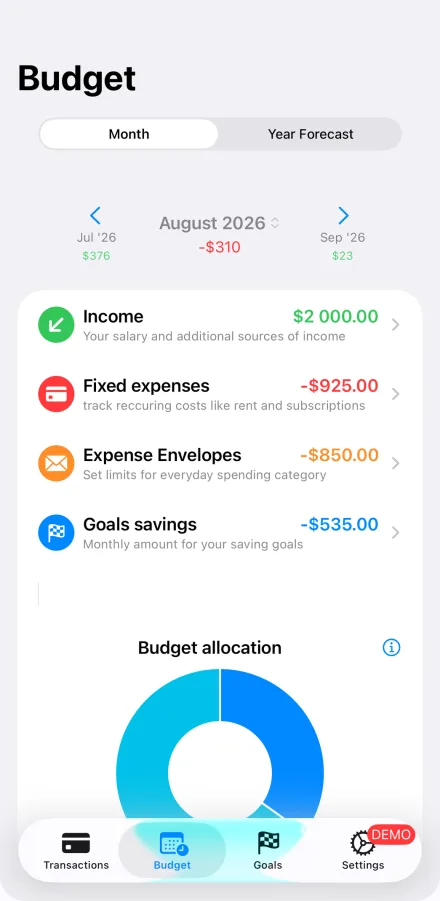
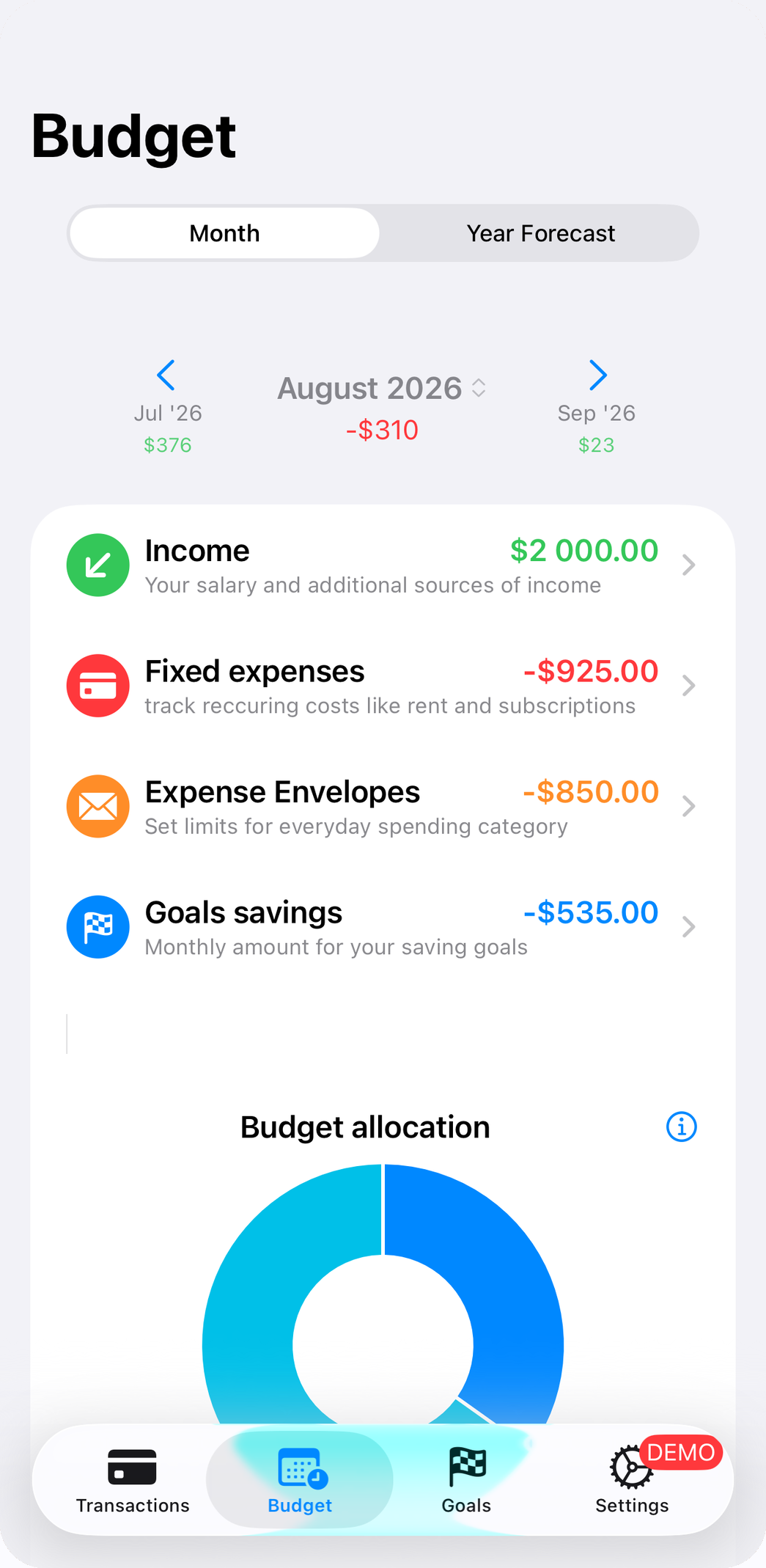
The monthly plan — income, fixed costs, envelopes and goal savings, allocated before the month starts.
-
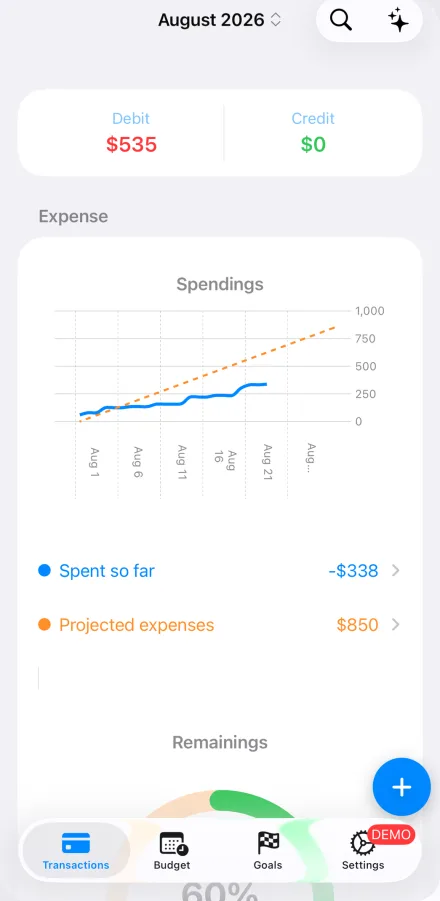
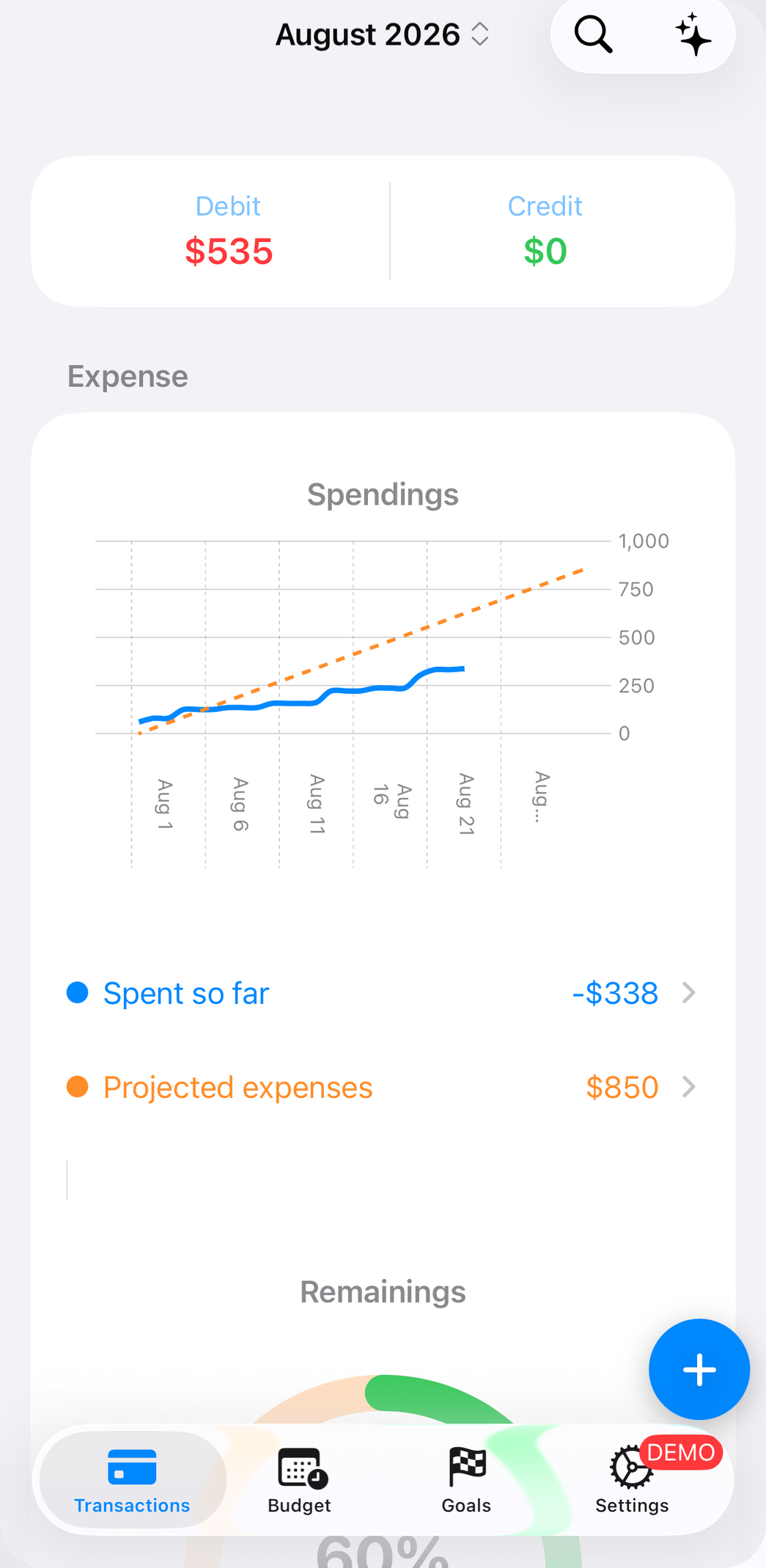
Spending so far against the plan, with the projection line and what is left.
-
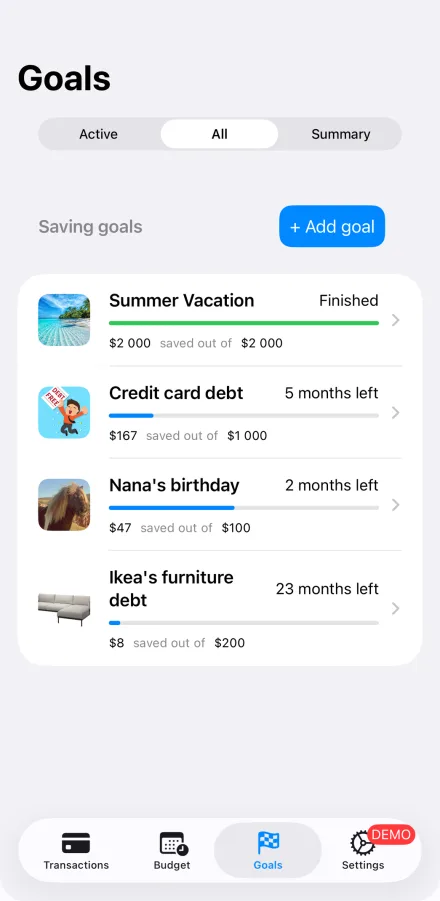
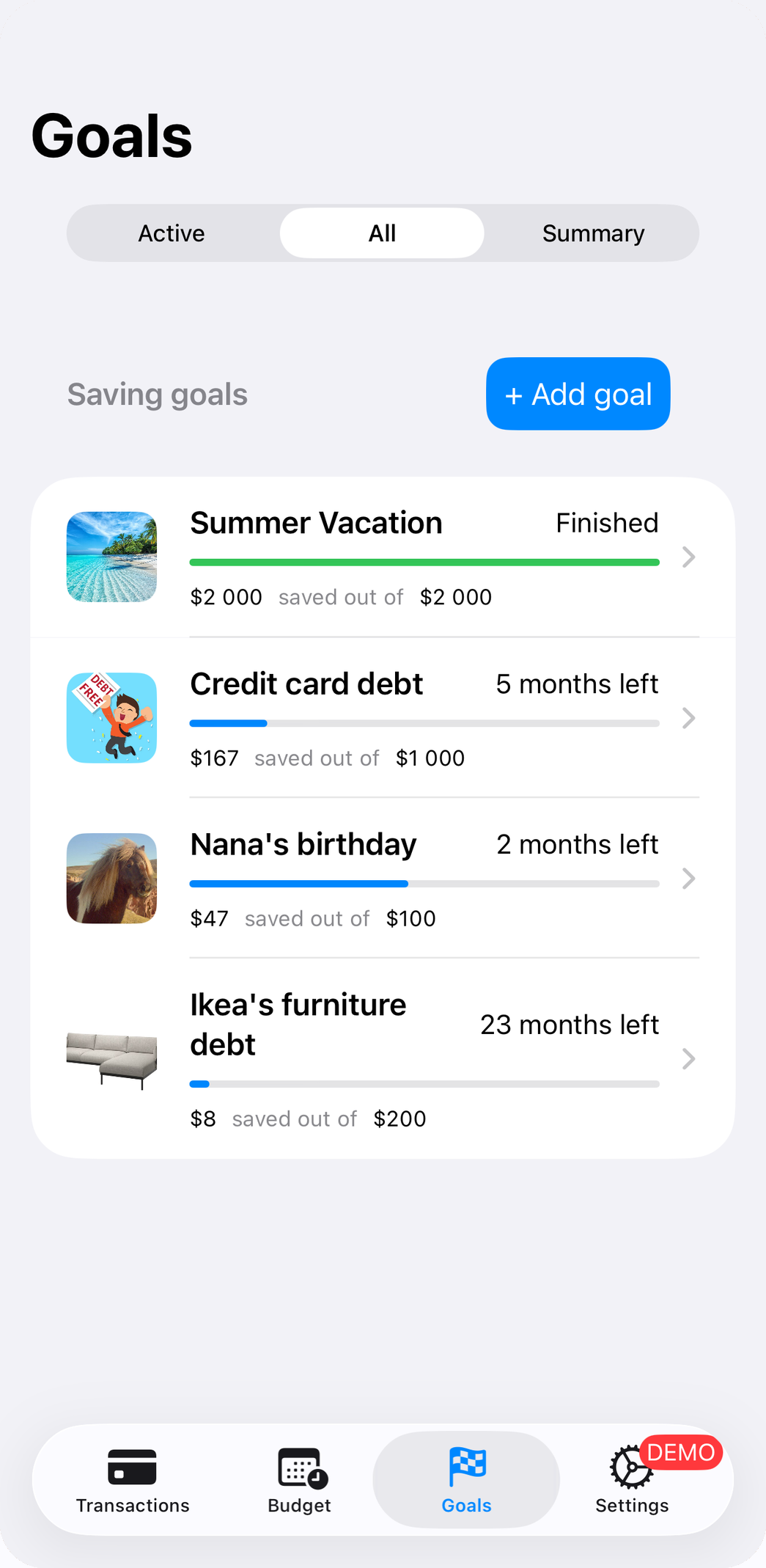
Savings goals with progress and months remaining — the part of the budget that gets funded first.
-
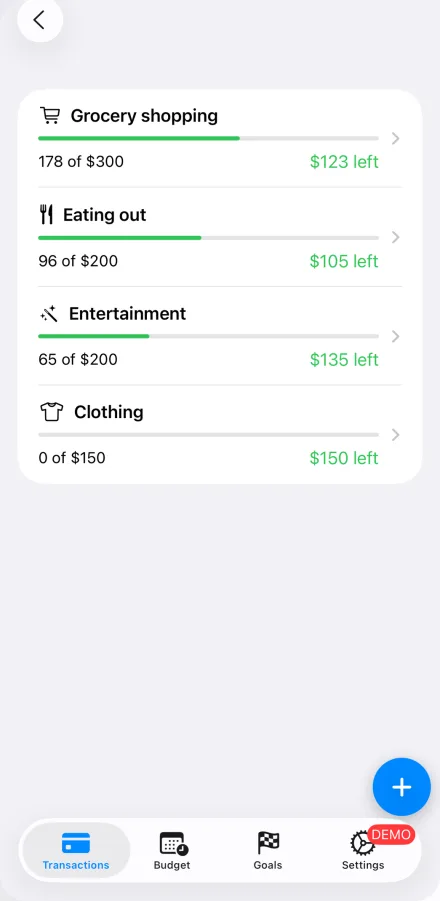
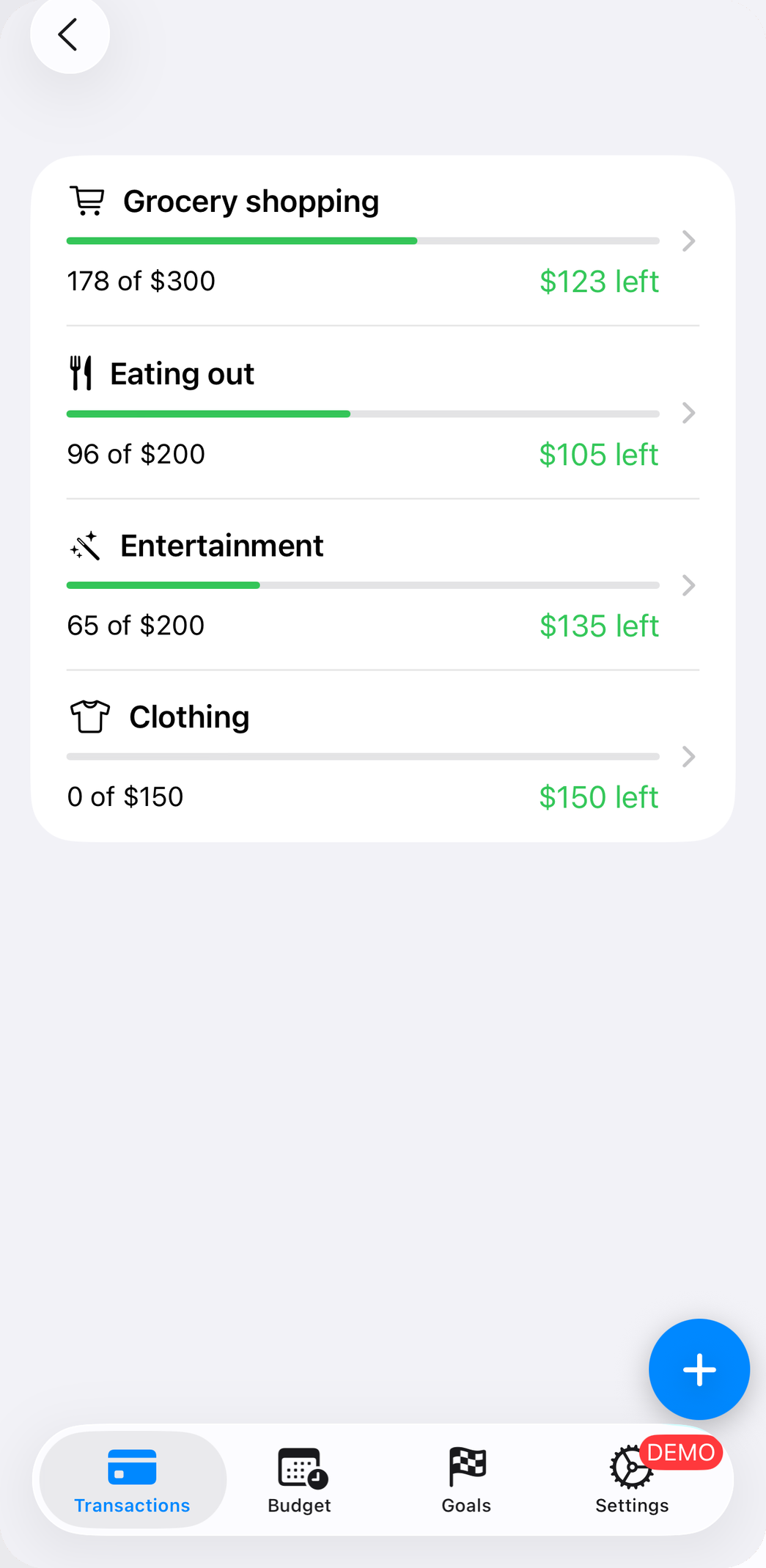
Expense envelopes: a spending cap per category, with what is left in each.
-
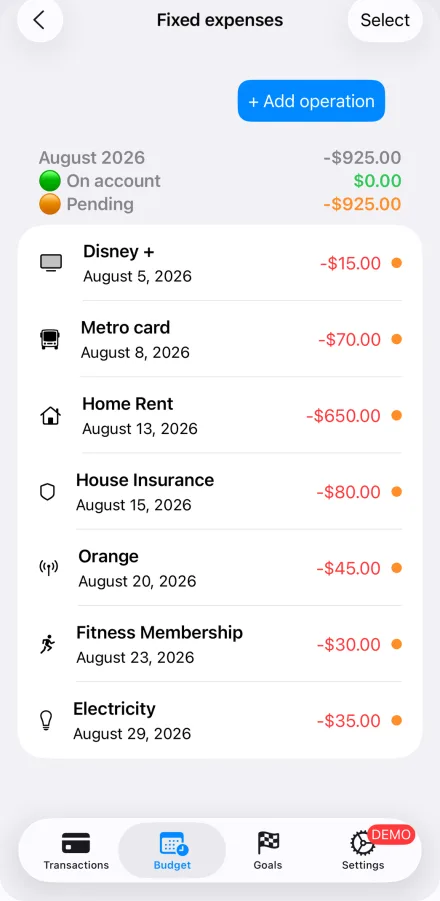
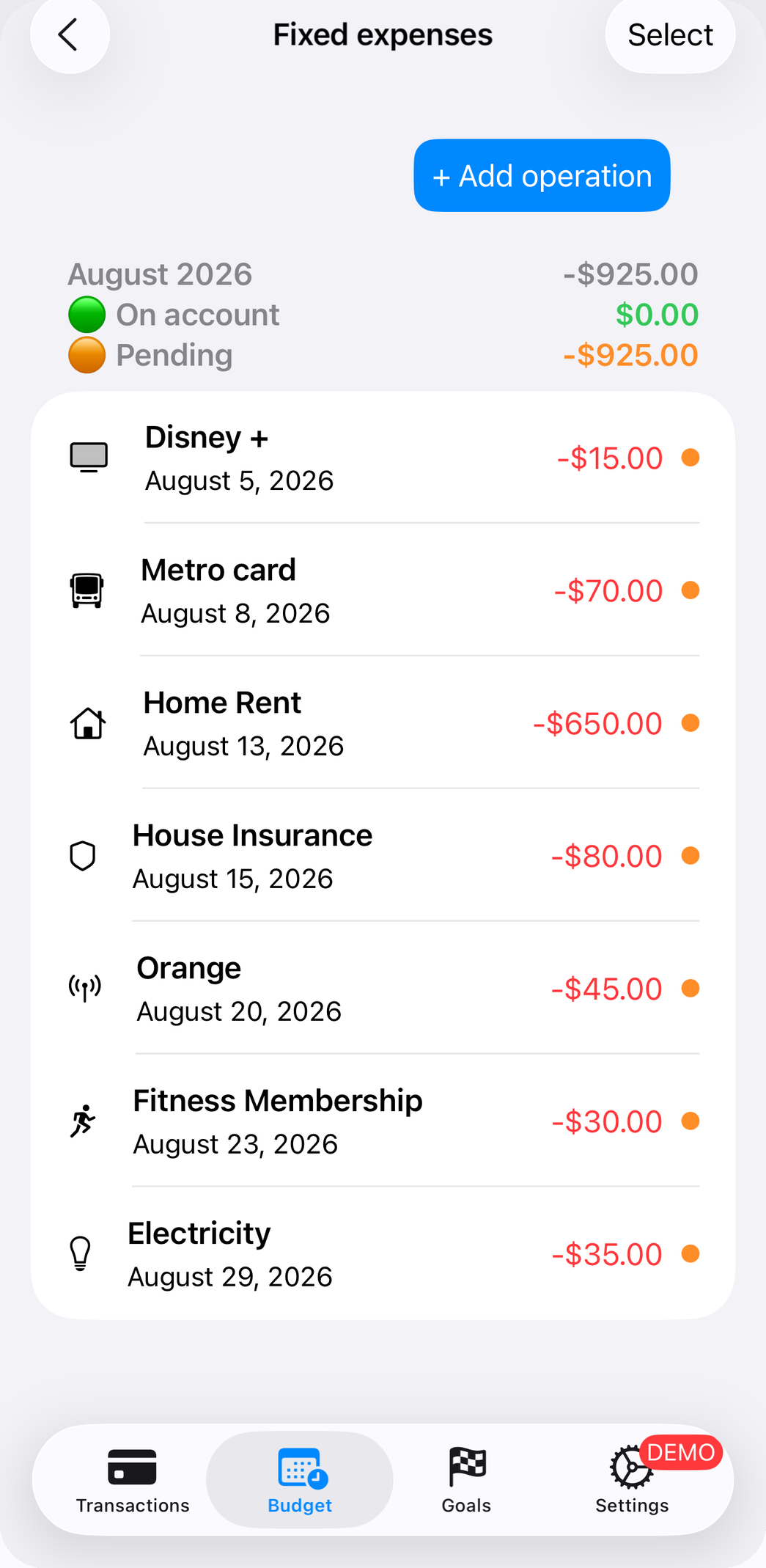
Recurring fixed expenses, split between what has already left the account and what is still pending.
-
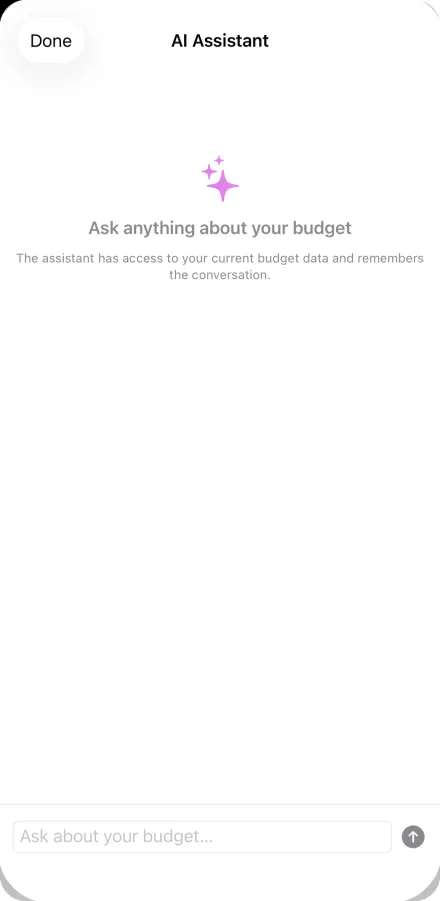
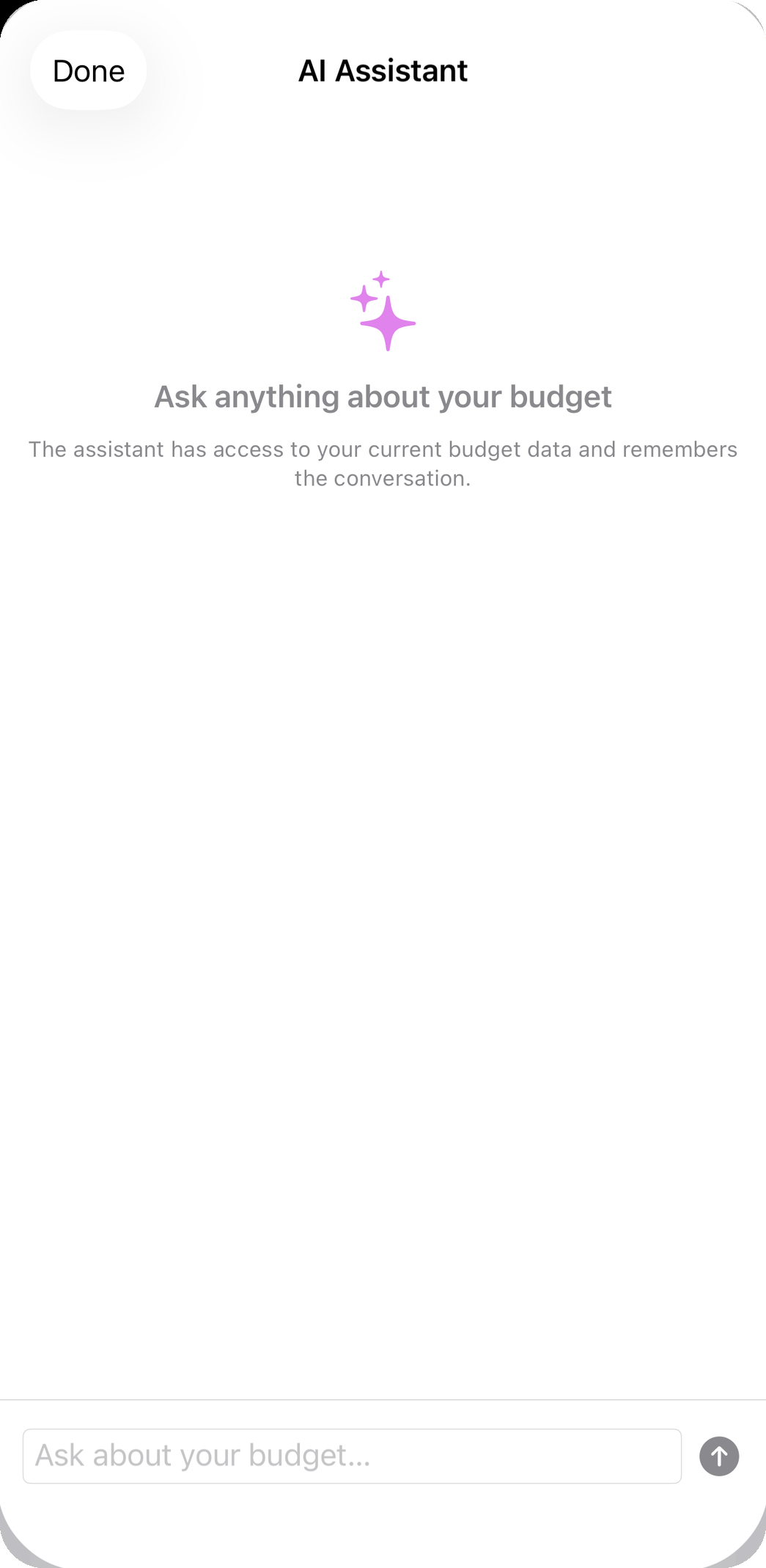
The AI assistant — questions about your own budget, answered on the device.
-
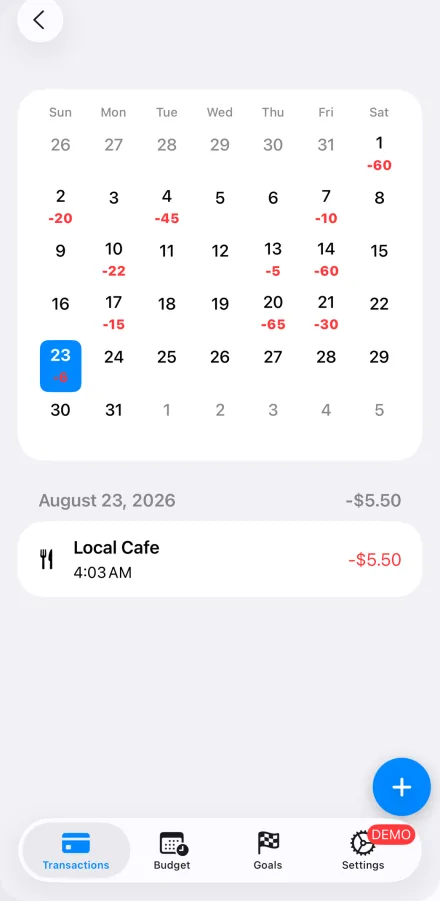
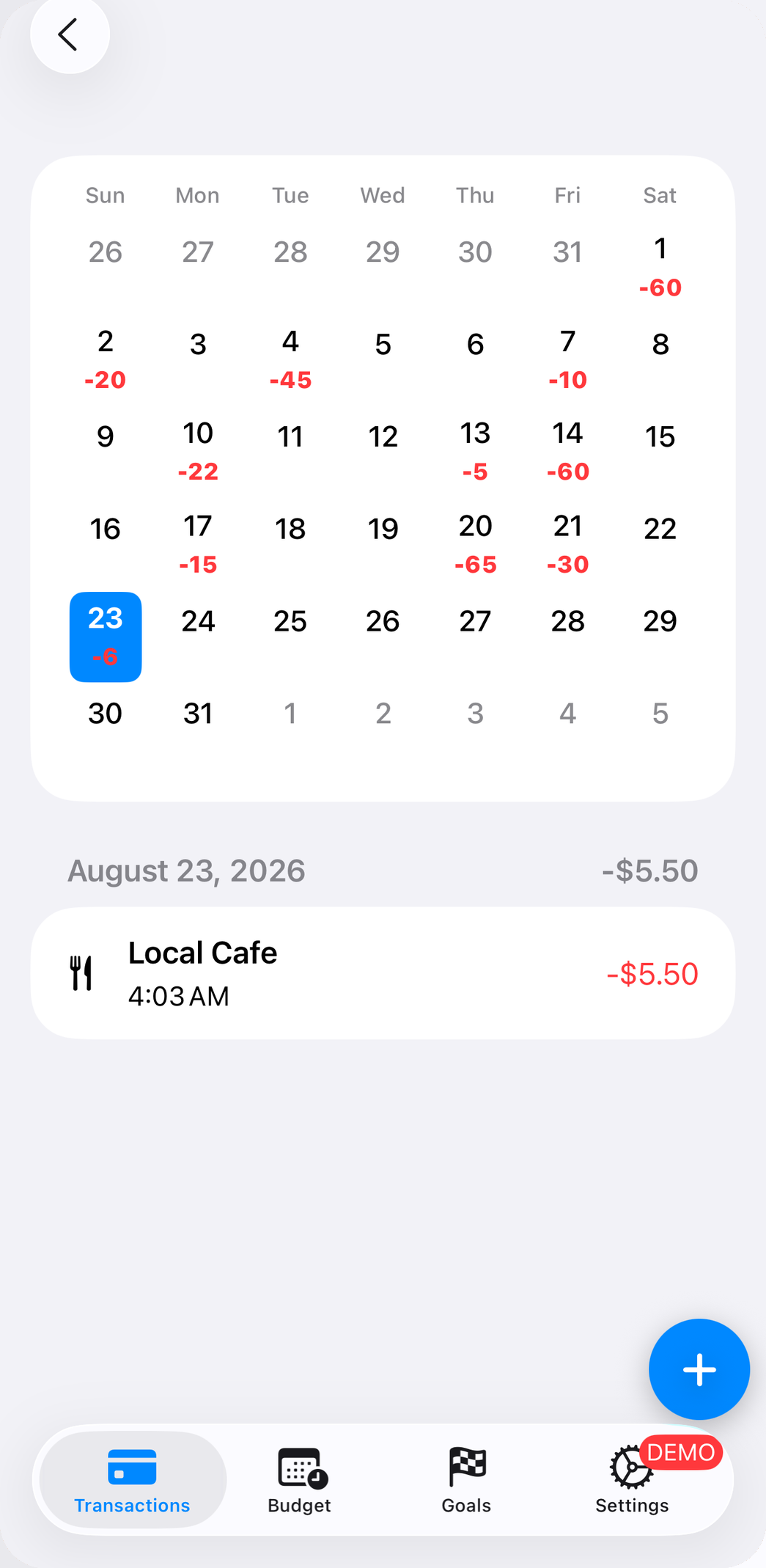
The calendar view: what each day cost, one day at a time.
-
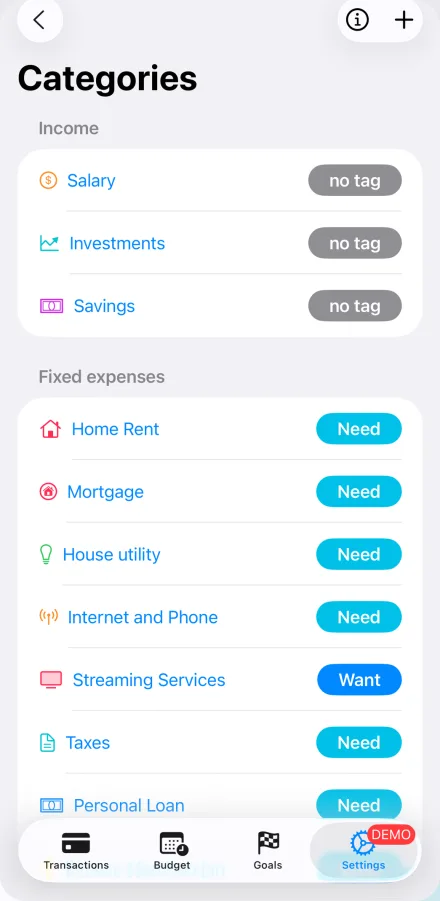
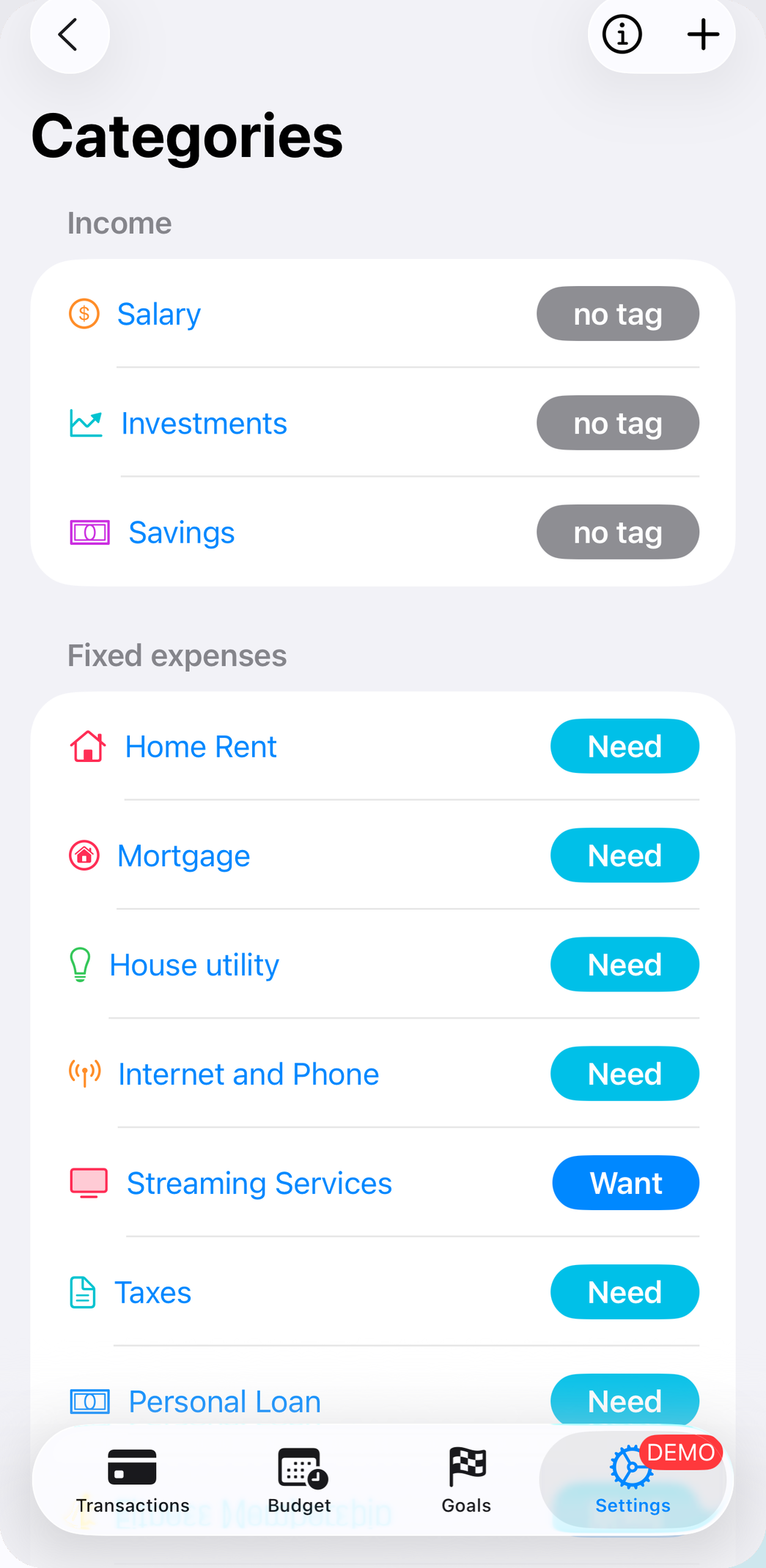
Categories, each tagged Need or Want — the basis for the 50/30/20 view.
App icon

- budget-fury-icon-1024.png — 1024 × 1024
- budget-fury-icon-512.png — 512 × 512
- budget-fury-icon-256.png — 256 × 256



Everything in one file
The zip holds all eight raw screenshots, the icon in three sizes, the nine App Store marketing frames at 1290 × 2796 for anyone who wants the store artwork, and the fact sheet as plain text.
Need a screen that is not here, a different device size, a screen recording, or an interview? Email contact@budgetfury.com and it will be sent the same day.
About the developer
Didier Lobeau is a solo iOS developer based in France. In 2015 he funded an eleven-month trip around the world out of a tracked budget — the experience that convinced him a budget does not restrict your life so much as pay for it. He has been building Budget Fury since 2024 and uses it every day.
Contact
Didier Lobeau — contact@budgetfury.com
A real inbox, read by the person who wrote the app. Questions, review copies of Premium, and specific assets all get answered.