Goal-based budgeting · iPhone, iPad & Mac
Your goals set the budget. Not the other way round.
Most budgeting apps tell you where the money went. Budget Fury starts from what you're saving for — a trip, a debt, a cushion — reserves that money first, then shows you exactly what's left to spend today.
- No bank login, ever
- Data Not Collected
- Free with a lifetime option
- Works offline

Budget Fury: Money Planner
Bill organiser, envelope budget and savings-goal planner — one app, one plan, all your Apple devices.
- Free to download
- $29.99 lifetime unlock
- iOS 18.1+, iPadOS, macOS
- 37 MB
- 6 languages
How it works
Four screens, one honest number
Set the plan once, then spend against it. Every expense you record moves the same number: what you still have this month.
Build the month from your income
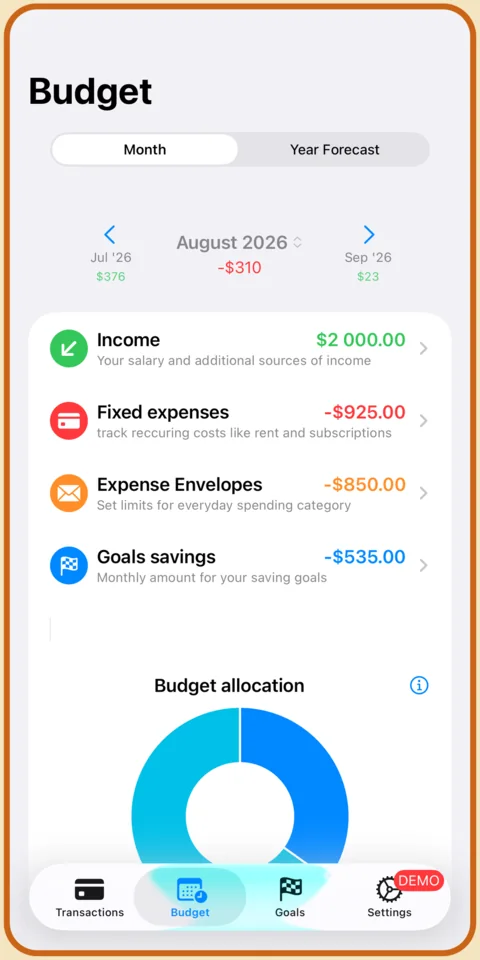
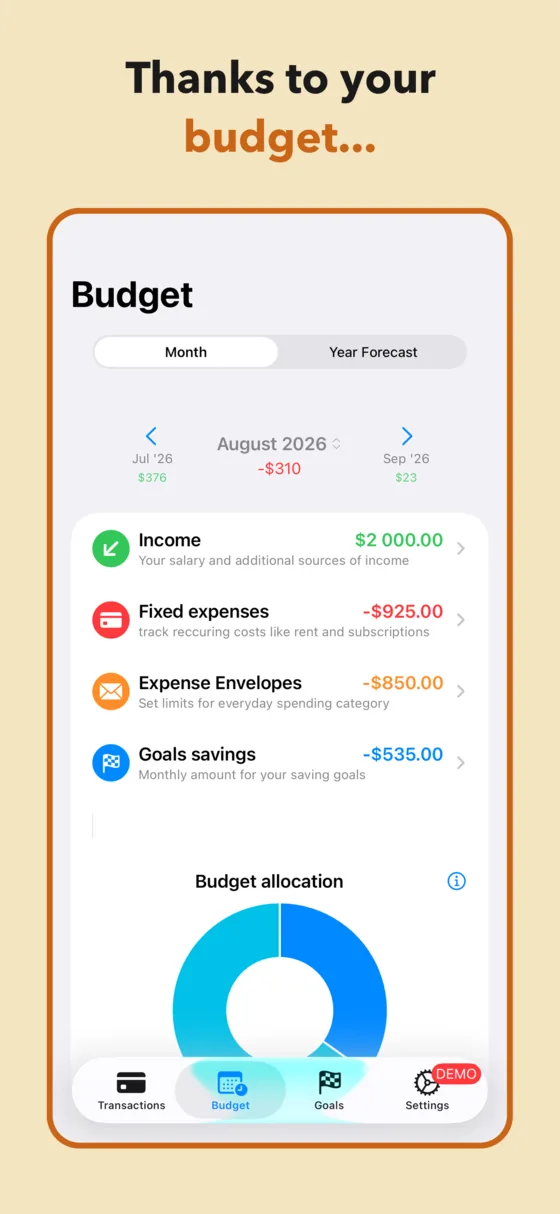
Income at the top, then three things pulling on it: fixed expenses that arrive whether you like it or not, envelopes for everyday spending, and the savings goals you've committed to. The donut shows the split, and the month stepper carries last month's result forward so a bad August is visible in September.
Already have history? Import a bank CSV and Budget Fury drafts the whole plan from what you actually spent.
Cap everyday spending with envelopes
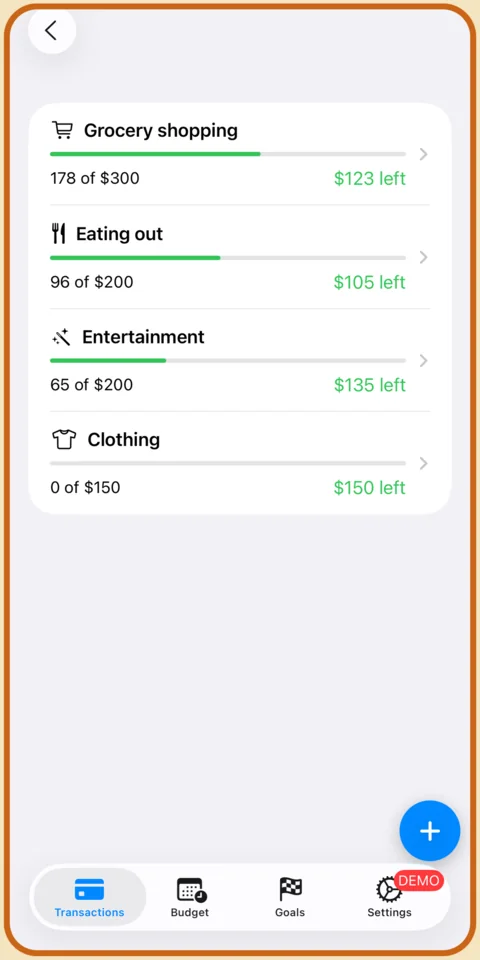
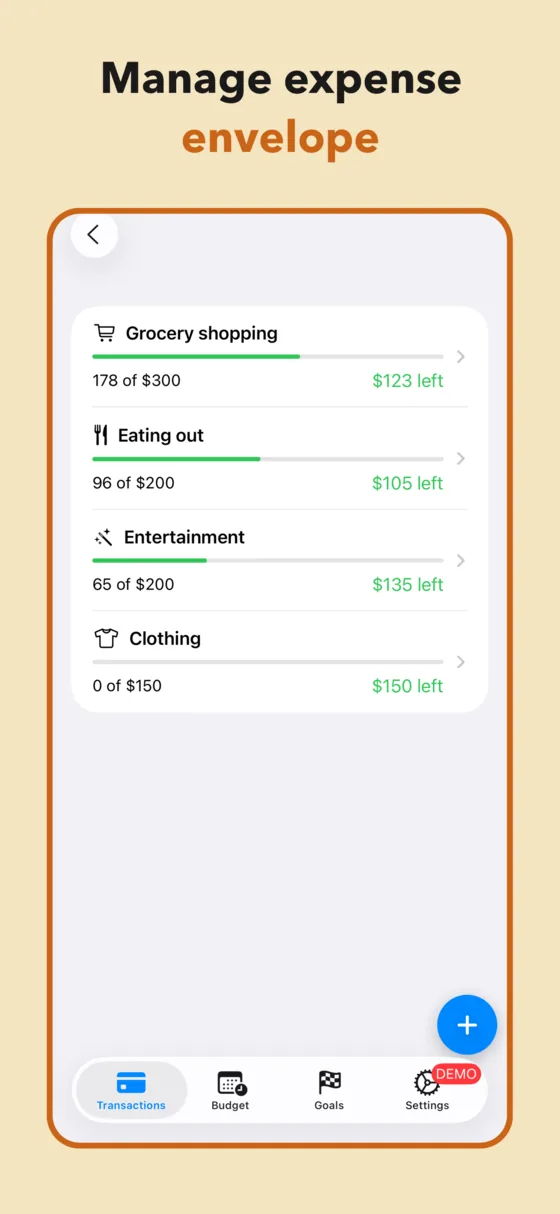
Groceries, eating out, entertainment, clothes — the categories that move. Each one gets a monthly limit and a bar that empties as you spend, so the question stops being "can I afford this?" and becomes "is there anything left in this envelope?" — which you can answer in a second, at the till.
More on the method: envelope budgeting without cash.
Goals take their cut before you spend
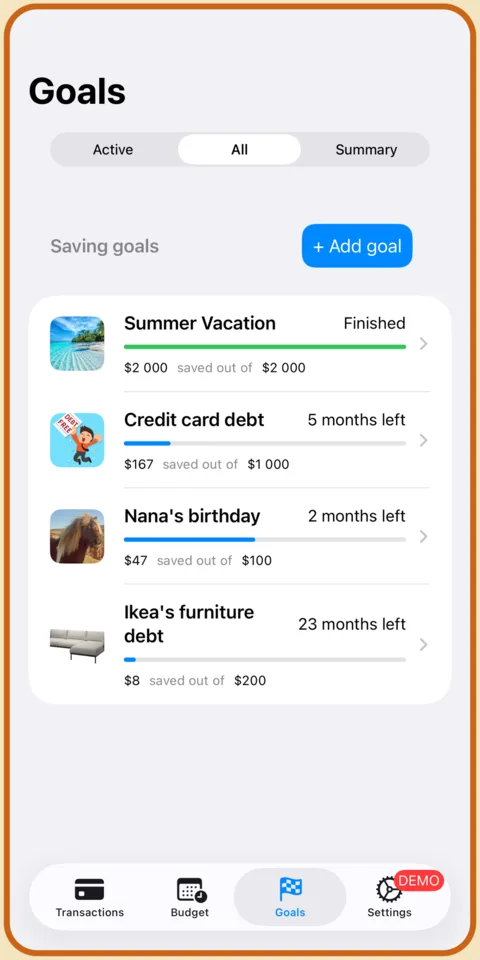
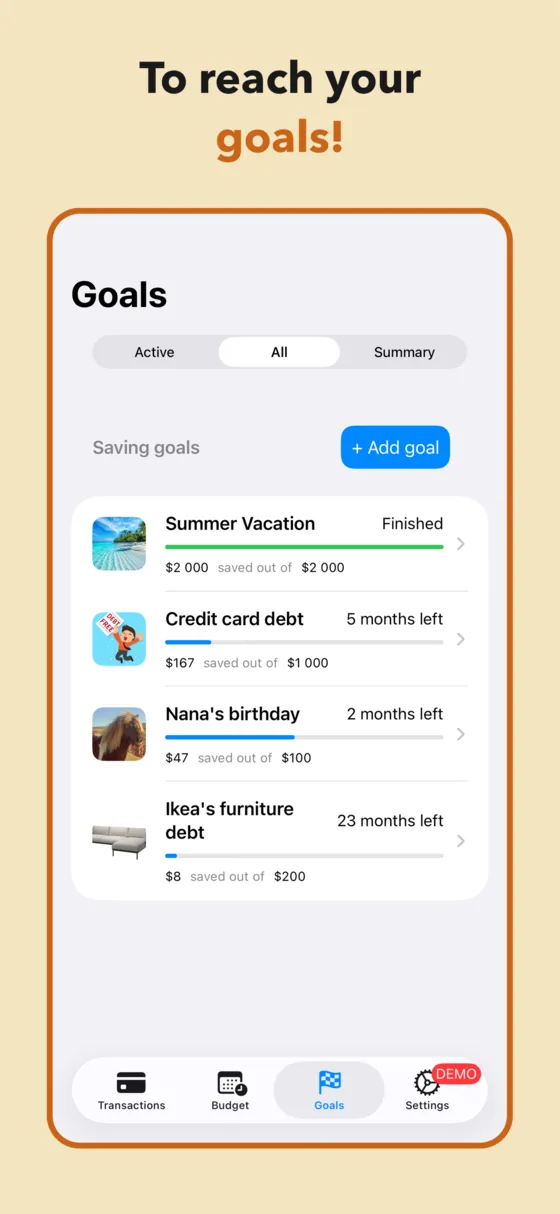
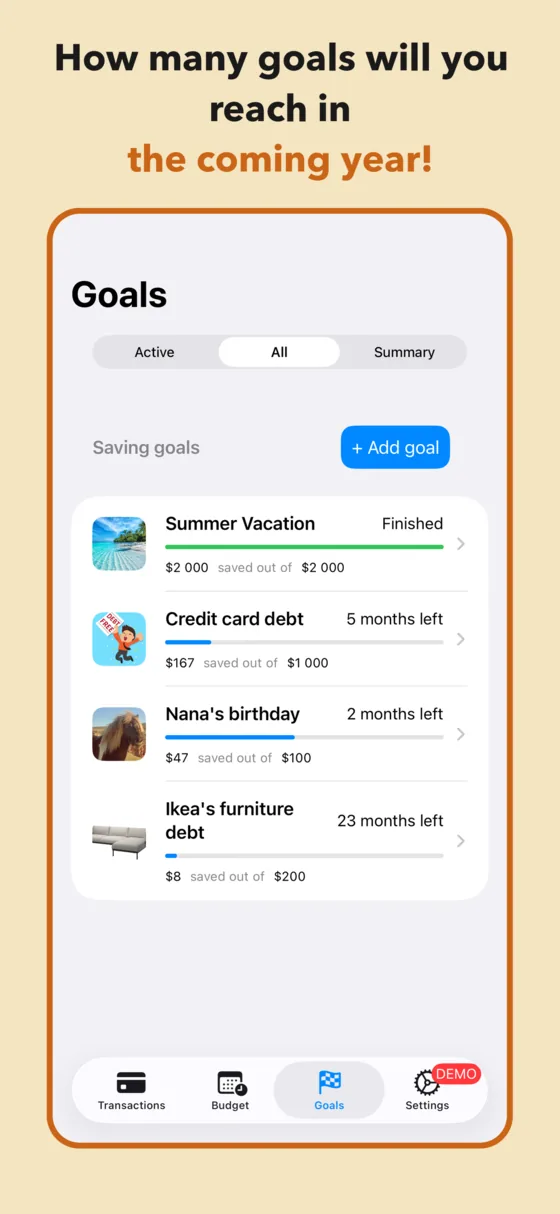
A goal is a target amount and a date. Budget Fury works out the monthly contribution and takes it out of the budget at the top of the month — the same way rent comes out. Summer trip, credit card, emergency fund, a sofa: each one gets its own line, its own progress bar, and its own months-left countdown.
Works for sinking funds and for paying off debt.
Then just watch one line
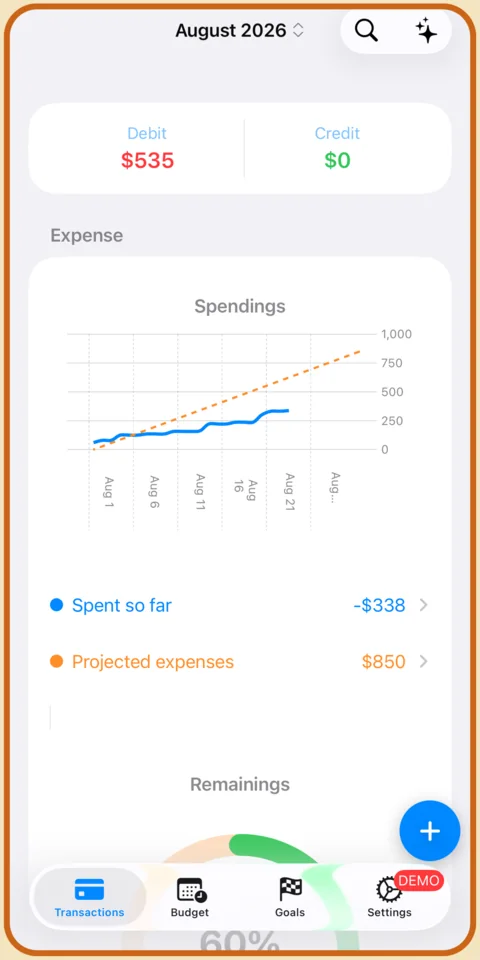
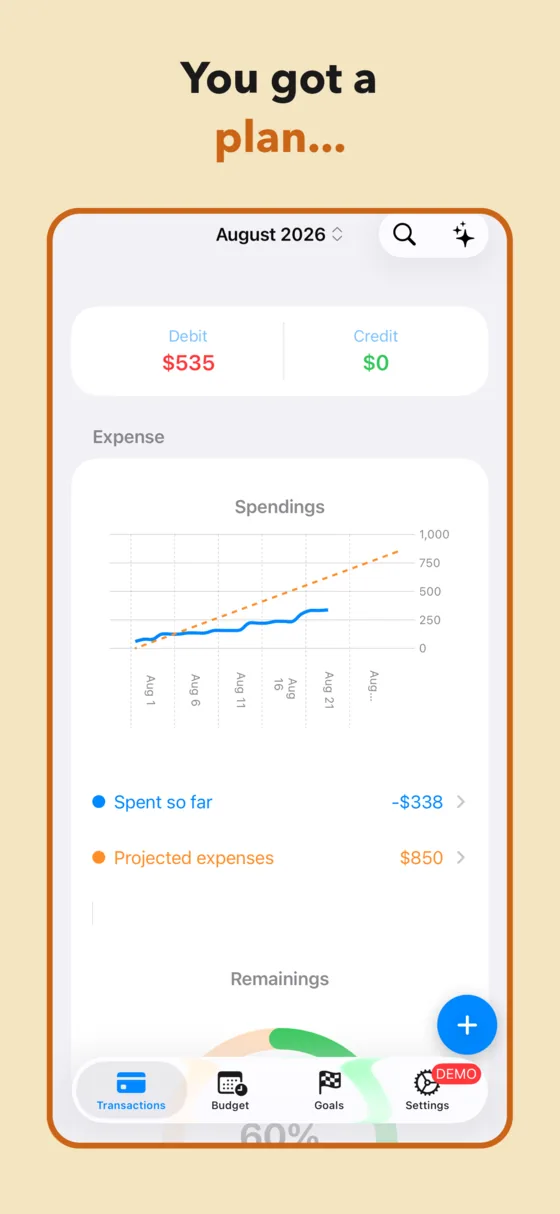
The spending chart draws what you've actually spent against the straight line you'd need to follow to finish the month on plan. Below the line, you're fine. Above it, you know on the 11th instead of the 30th — while there are still nineteen days to do something about it.
Looking further out? The 12-month forecast does the same thing for the year.
What's inside
Everything a monthly plan needs — and nothing that phones home
Envelopes and fixed expenses, kept apart
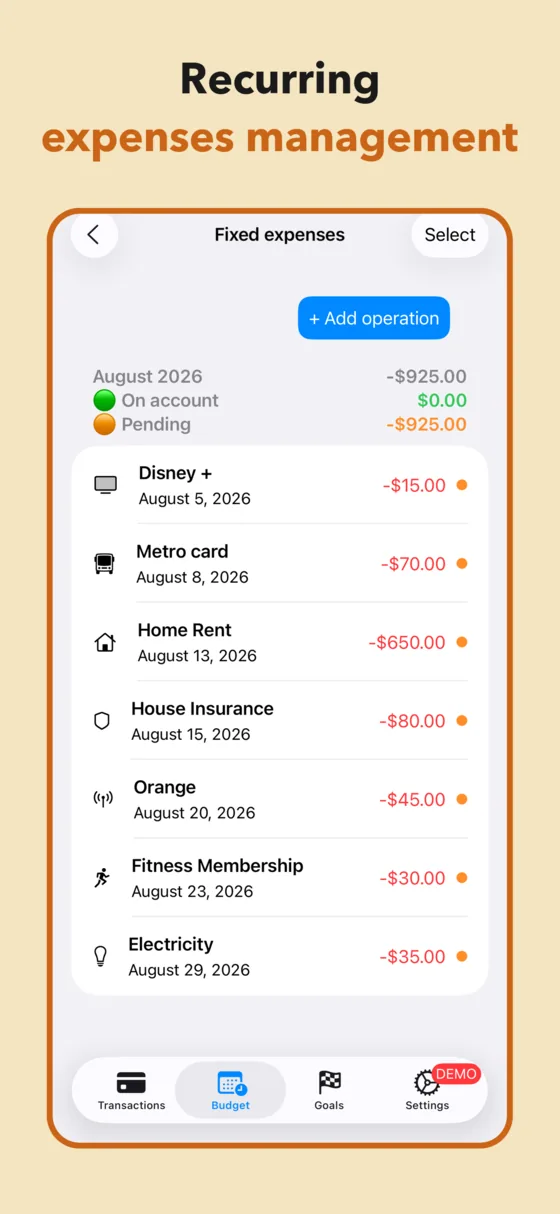
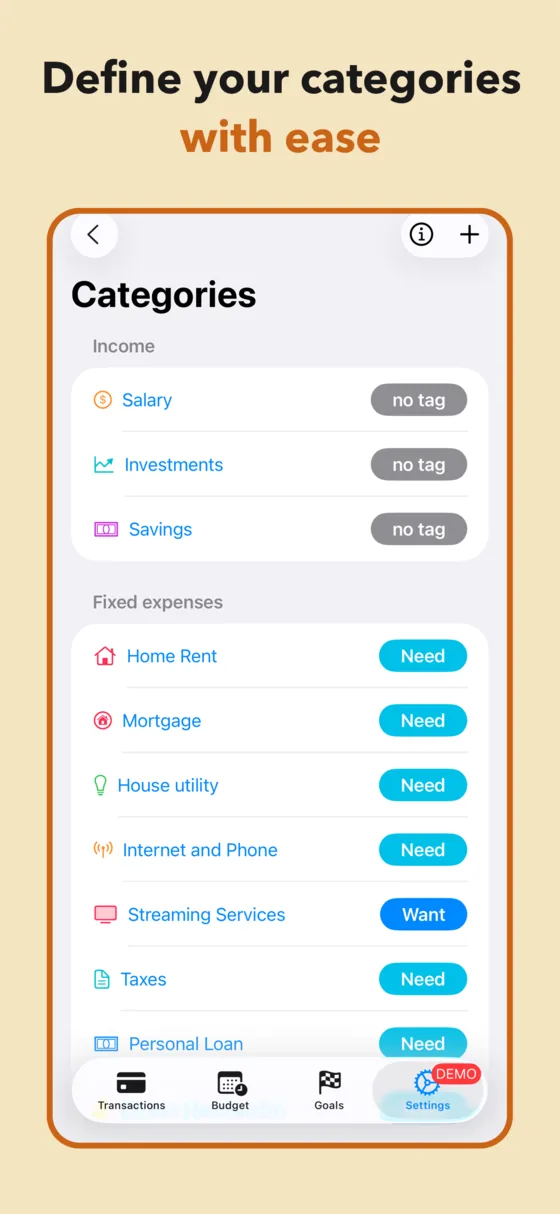
Rent, insurance and subscriptions sit in their own list with a pending / paid state. Variable spending lives in envelopes. One can't quietly eat the other.
Rolling 12-month forecast
Recurring expenses and goal contributions are projected a year forward, so you can see which months are tight before you plan anything into them.
50/30/20 built in
Every category is tagged Need or Want. The split is reported from your real spending instead of a target you wrote down in January and forgot.
Bank CSV import
Map the columns once. Budget Fury categorises what it recognises, spots recurring charges, and drafts a budget from months of real history.
Multi-currency
Pay in one currency, budget in another. Built for the year the developer spent funding a trip around the world out of a tracked budget.
An assistant that stays on the phone
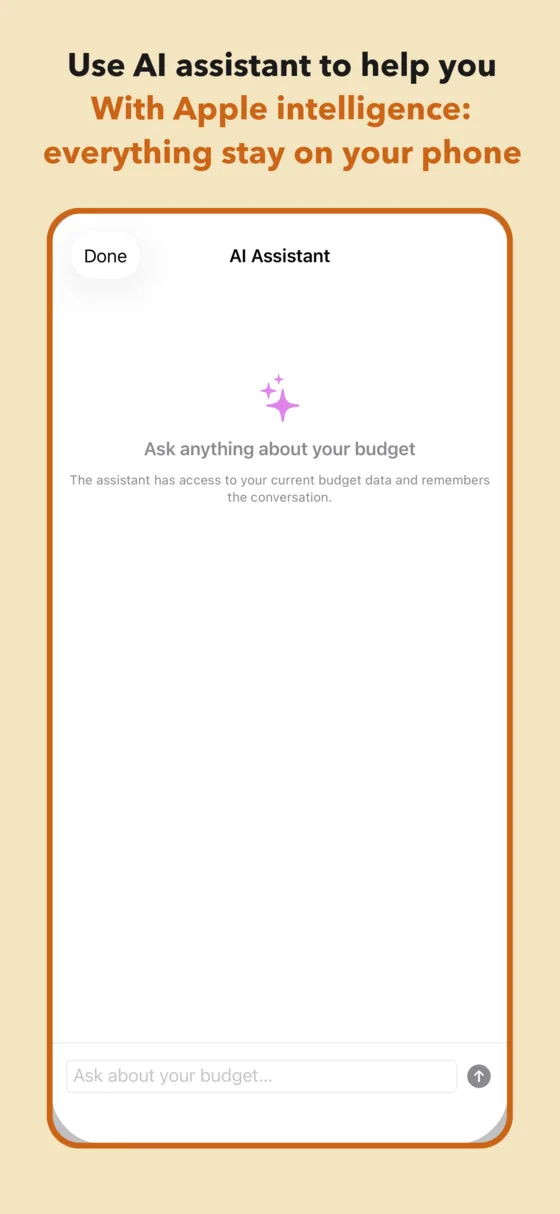
Ask what happened to your grocery budget. Apple Intelligence answers on-device — no financial data is sent anywhere, by anyone.
Screenshots
The whole app, in nine screens
Straight from the App Store listing — no mockups.
Guides
How to actually do it
Fourteen guides to the budgeting methods people search for — what each one is, when it works, and exactly which screens to use if you want to run it in Budget Fury.
FAQ
Questions people actually ask before downloading
Can I use Budget Fury without connecting my bank account?
Yes — and not as a setting you switch off. There is no bank connection in the app at all: no Plaid, no account to create, no server holding your finances. You record expenses yourself, or import a CSV you downloaded from your bank yourself. Apple's privacy label for Budget Fury reads Data Not Collected.
Learn more: budgeting without a bank connection →Does Budget Fury do envelope budgeting?
Yes. Everyday variable spending lives in Expense Envelopes — groceries, eating out, entertainment, clothing — each with a monthly limit and a bar showing what's left. Fixed expenses and savings goals sit outside the envelopes, so one expensive week of groceries can't quietly eat your rent.
Learn more: the envelope method on a phone →Can I track sinking funds for irregular expenses?
Yes — that's what goals are for. Give the fund a target and a date; Budget Fury divides the target by the months remaining and reserves that amount inside the monthly budget. Car insurance in March stops being a March problem in December.
Learn more: setting up sinking funds →Is Budget Fury a kakeibo app?
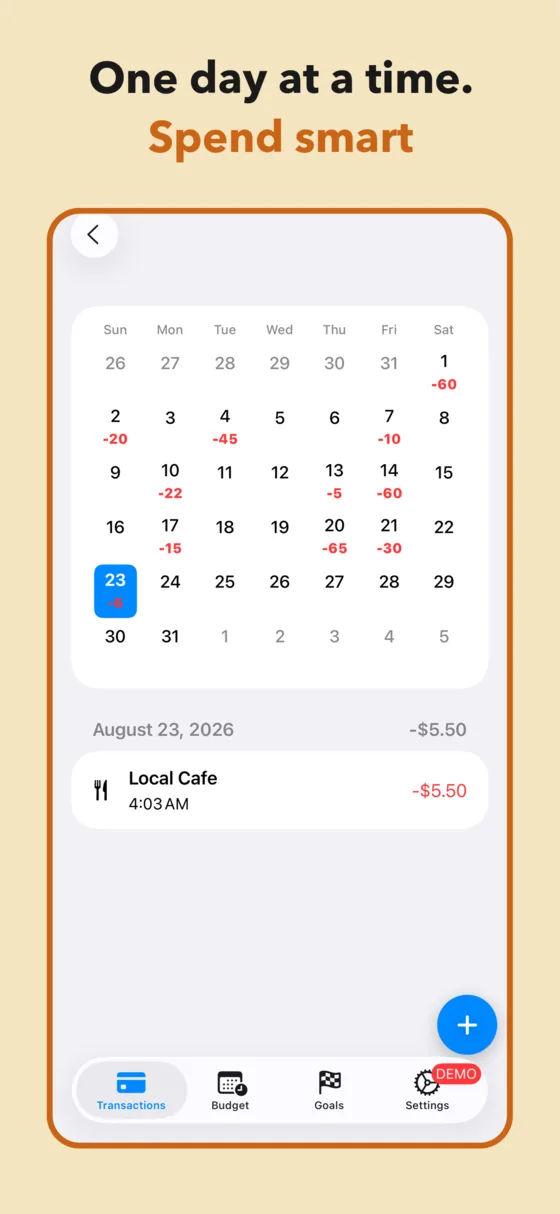
It grew out of one — the French listing still carries the name. Budget Fury keeps kakeibo's core loop: decide what you'll save before you spend, record spending by hand so you actually notice it, and review the month against the plan. The calendar view is the ledger; the goals screen is the savings promise you make at the start of the month.
Learn more: the kakeibo method, digitised →Does Budget Fury support the 50/30/20 rule?
Yes. Every category carries a Need or Want tag, and the budget screen reports the split from your real spending — so you find out whether you're at 50/30/20 rather than assuming it.
Learn more: running 50/30/20 properly →Can I import my bank's CSV file?
Yes. Download a CSV from your bank, map the date, description and amount columns once, and Budget Fury builds a starting budget from real history — it categorises merchants it recognises, spots recurring charges and proposes envelope limits based on what you've been spending.
Learn more: importing a bank CSV →Does it handle multiple currencies when I travel?
Yes. Record an expense in the currency you paid in; Budget Fury converts it into your home currency for the budget and keeps the original amount on the transaction. The feature exists because the app was built by someone budgeting through an eleven-month trip around the world.
Learn more: budgeting across currencies →Can I see my budget for the next 12 months?
Yes — the Year Forecast tab. It projects a rolling twelve months from your income, recurring expenses, envelope limits and goal contributions, so in August you can already see whether December works.
Learn more: forecasting the year ahead →How does it track subscriptions and recurring bills?
Enter a fixed expense once with its recurrence and Budget Fury copies it forward twelve months. The list shows each month's total split into what has already left your account and what's still pending — which is usually the first time people see the true annual cost of their subscriptions.
Learn more: bills and subscriptions →Can I use Budget Fury to pay off debt?
Yes. A debt is a goal with a target and a payoff date. Because goals are funded at the top of the month, before spending money is allocated, the repayment is protected instead of being whatever happens to survive to the 30th.
Learn more: budgeting your way out of debt →Is Budget Fury a good YNAB alternative?
It fits if what you want from YNAB is giving every unit of money a job and envelope-style categories, and what you don't want is the yearly renewal and the bank connection. Budget Fury is free with a one-off lifetime unlock, and never connects to a bank. It won't replace YNAB's automatic imports or its shared-budget features — the guide is honest about both.
Learn more: Budget Fury vs. YNAB →Does it sync between iPhone, iPad and Mac?
Yes, through your own iCloud account — there's no Budget Fury account to create. Sync is opt-in and uses Apple's end-to-end encryption. Leave it off and the app works entirely offline on one device.
Learn more: syncing across your devices →Can I do zero-based budgeting?
Yes. The budget screen shows income minus fixed expenses, envelopes and goals, and the remaining figure at the top of the month. Zero-based budgeting is just working that figure down to zero by assigning the rest to an envelope or a goal.
Learn more: giving every euro a job →What does the AI assistant do with my financial data?
Nothing leaves the device. The assistant runs on Apple Intelligence on your iPhone, iPad or Mac, reads the budget already stored locally, and answers there. No financial data is sent to Budget Fury or to any third party — there's nowhere for it to be sent to.
Learn more: an assistant that stays on your phone →Is Budget Fury free?
The app is free to download and use, and premium comes with a free trial. Premium is $2.99, or $29.99 once for a lifetime unlock. No advertising, and no data sold — because none is collected.
See what's in the free version →Blog
Before Budget Fury there was Follow the dancer — 39 posts from a year spent travelling and dancing around the world, on a budget tracked day by day (translated from French). That spreadsheet is where this app started.
Start with the goal, not the spreadsheet.
Free to download, free to try, and there is no bank login to be talked into. Pick one thing you're saving for, give it a date, and see what this month actually allows.
iPhone, iPad and Mac · iOS 18.1 or later · English, French, German, Italian, Portuguese, Spanish